
Record Like a Pro with Promptly Pro
The ultimate teleprompter.
Promptly Pro: Your Ultimate iPhone Teleprompter
Promptly Pro is a powerful, all-in-one teleprompter designed specifically for iPhone creators who demand a professional edge without the bulky equipment. Whether you’re filming YouTube content, recording corporate presentations, or delivering a live sermon, Promptly Pro ensures you never miss a beat or lose eye contact with your audience. By transforming your iPhone into a high-end autocue, the app eliminates the stress of memorizing lines and the distraction of “eye-tracking” across the screen, allowing your natural personality and confidence to shine through in every take.
Smart Scrolling & Professional Mirroring
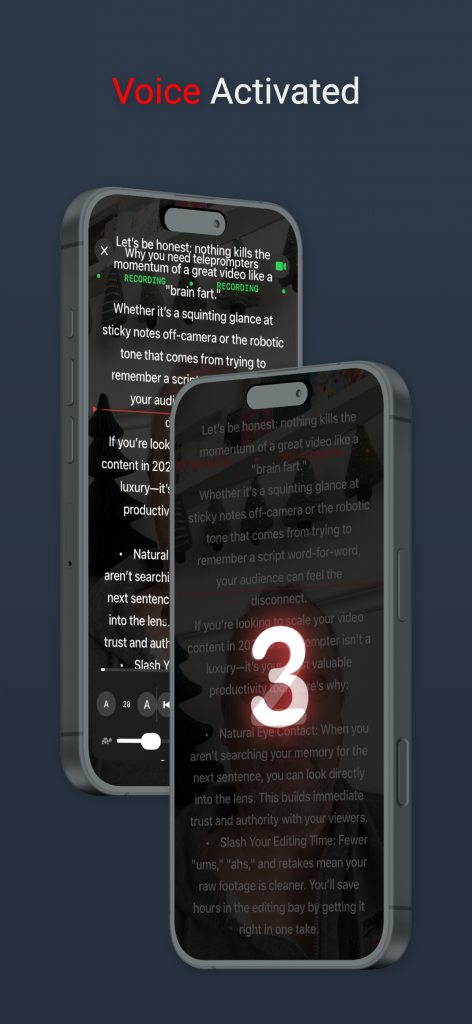
What sets Promptly Pro apart is its intelligent suite of automation tools tailored for solo creators and studio setups alike. Our revolutionary Voice Activated Scrolling uses advanced speech recognition to follow your natural pace—pausing when you improvise and resuming the moment you return to the script. For those using external hardware, the app offers comprehensive Mirror Text and Video modes, allowing you to flip your script for professional beam splitter glass or record yourself directly within the app with a seamless overlay. From hands-free auto-scrolling to professional rig compatibility, Promptly Pro is the only tool you need to deliver flawless, one-take performances.
Unleashing Powerful Capabilities
Key Features of Promptly Pro
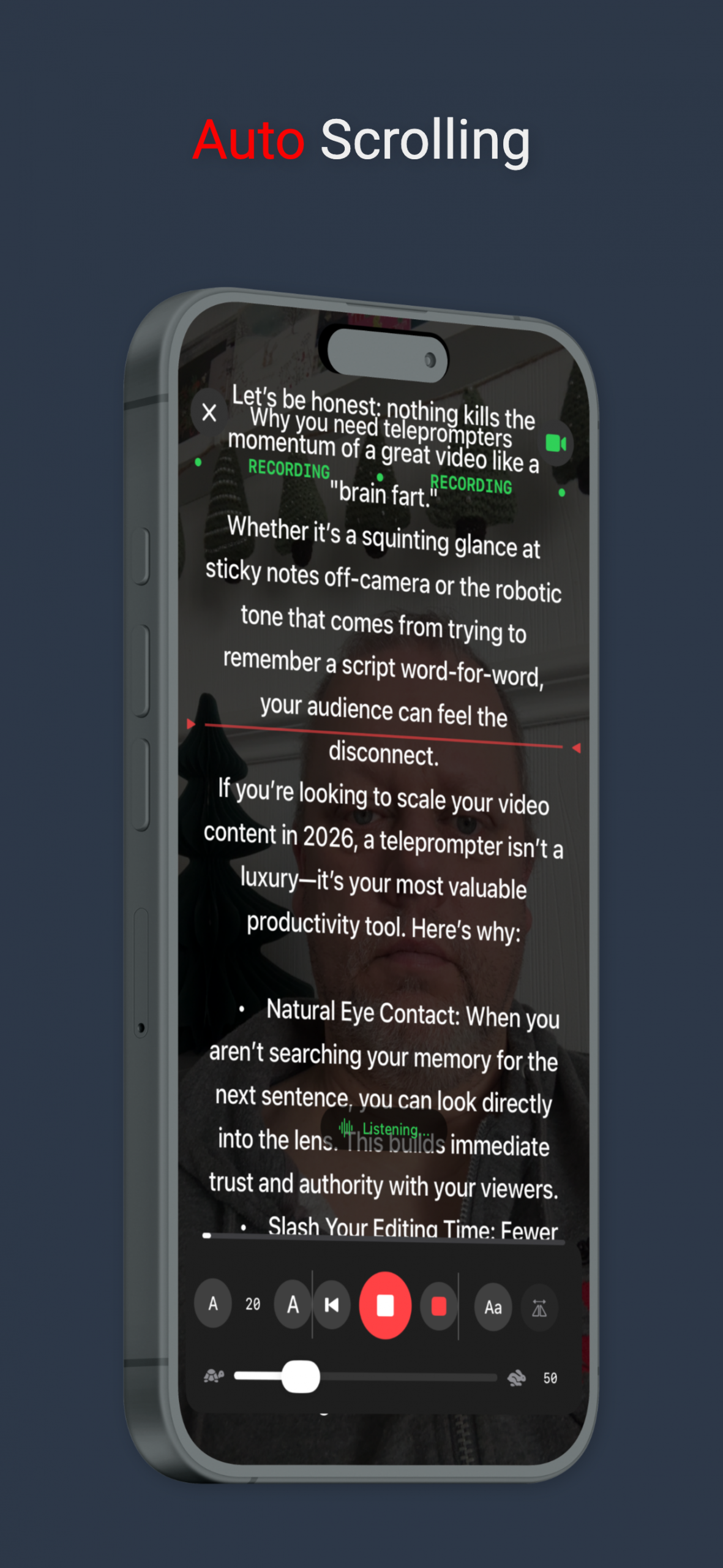
Auto Scrolling:
Set your pace and let the app do the work. Perfect for hands-free presentations.
Voice Activated Scrolling:
The script follows your voice. If you pause, it pauses. If you speed up, it keeps up.
Mirror Video:
Record yourself directly in the app with the script overlaid, ensuring you’re always looking at the lens.
Mirror Text:
Professional hardware support. Flip the text horizontally or vertically for use with physical teleprompter glass rigs.
Pro Version
- Voice Activated Scrolling Technology
- Mirror Text for Teleprompters
- Mirror flip for Camera
- Landscape and Portrait Layout
- Limited use
- Restricted features
Getting Started with Promptly Pro
Step 1
Step 1: Download the Promptly Pro Teleprompter app from the App Store and create your club account.
Step 2
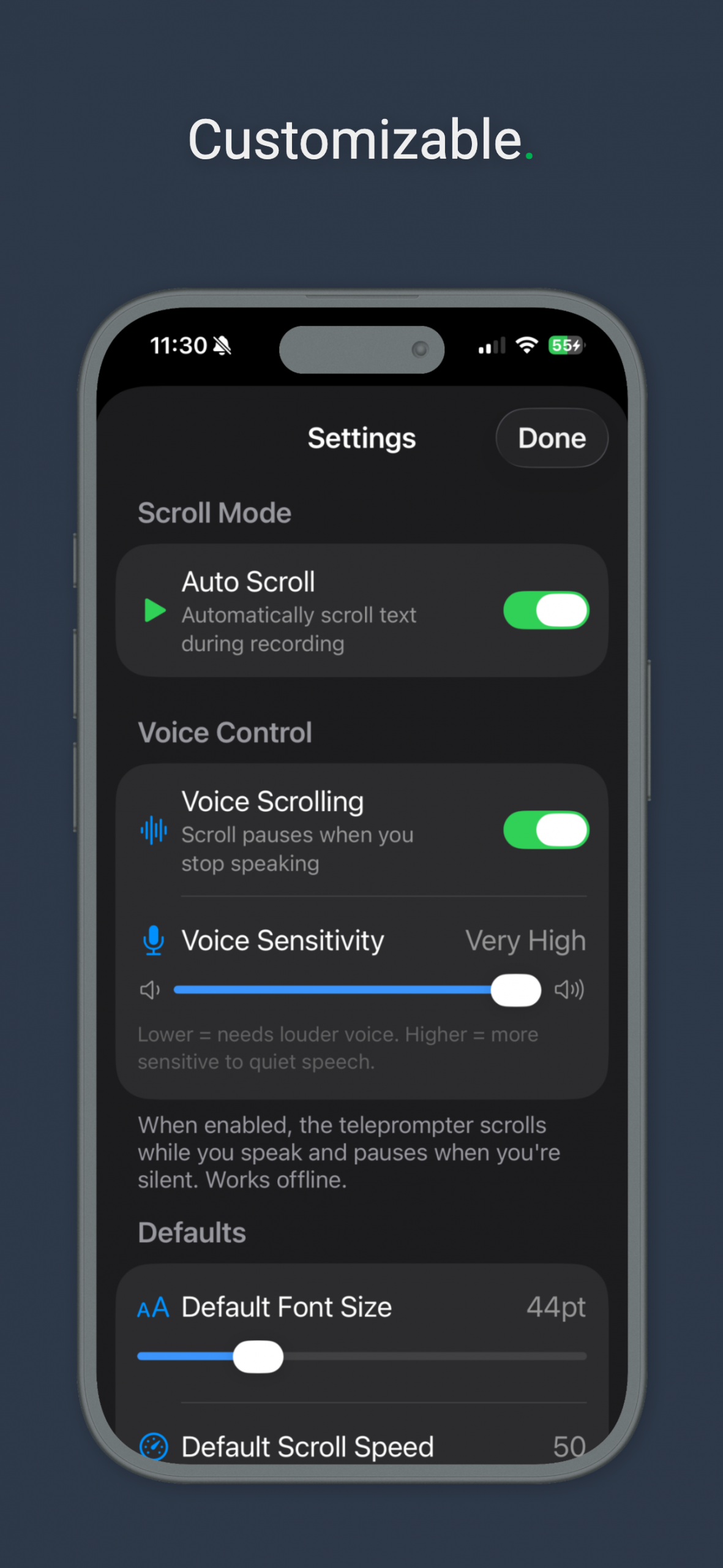
Configure your settings to suit your requirements, including camera opacity, font speed and scroll speed.
Step 3
Start making those professional looking videos for Youtube, TikTok or Instagram.